

*This post may contain affiliate links for which I earn commissions.*
I remember the first time I tried out an email marketing tool. I signed up for a free trial, logged in. . . and immediately felt lost!
If you felt that way too, you’re certainly not alone.
The problem with many email marketing platforms is that they are basically built for marketers who’ve been around the block a few times – and not for beginners.
As a result, instead of feeling excited about building your email list, you end up staring at dashboards, menus, and settings that make you wonder if you’ve just signed up for something way more complicated than you ever bargained for!
It’s not a nice feeling.
Here’s the good news. Email marketing does not have to feel technical or confusing. There are tools designed to be simple, clean, and beginner-friendly.
You just need to know which ones to look at and what really matters when you’re starting out.
In this post, I’ll walk you through two of the most beginner-friendly email tools available today, focusing on ease of use, setup simplicity, and overall experience.
By the end, you’ll know exactly which one feels right for you and how to get started without constantly second-guessing yourself.
What Actually Makes an Email Tool “Beginner-Friendly”?
Before we talk about specific tools, let’s quickly reset expectations.
In my opinion, a good email marketing tool for beginners is NOT the one with the most features. Because having lots of features often equals complete confusion when you’re starting out.
Instead, a good tool is one that helps you move forward quickly without overwhelm.
Here are the three things that matter most, based on what I’ve seen:
1. A Clean, Simple Dashboard
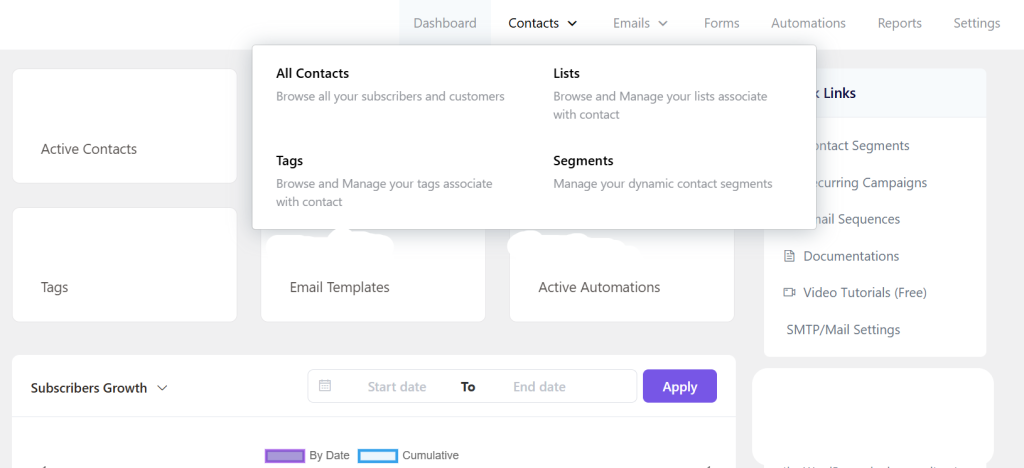
When you log in, you should immediately understand where to go next. You should not need to plod through video tutorials just to figure out basic things like how to a form or send an email.
2. Easy Setup
You should be able to:
• Create a signup form
• Build a simple email list
• Send your first email
All within your first hour of using the tool.
3. Helpful Support
At some point, you will get stuck. Happens to everyone.
That’s when it helps to have clear guides or responsive customer support that doesn’t assume you already know the basics.
Keep these three in mind as we look at the tools below.
#1: AWeber — The Easiest Place to Start (Recommended)
If your main goal is to get started without feeling overwhelmed, AWeber is one of the safest choices you can make.
What makes AWeber stand out is how straightforward everything feels from the moment you log in.
Why AWeber Works Well for Beginners
• The dashboard is clean and uncluttered
• You can create a list and signup form in just a few steps
• Email templates are simple and easy to edit (in many cases, I recommend sending simple emails without using a fancy template, but there are times when templates are very useful)
• There’s strong customer support, including live chat
One thing I often hear from beginners is this: “I just want something that works without needing to learn a whole system.”
That’s exactly where AWeber shines.
It doesn’t try to impress you with complexity. It focuses on helping you do the basics well.
When AWeber Is the Right Choice
AWeber is a great fit if:
• You are starting your first email list
• You want a simple, no-fuss setup
• You prefer learning by doing rather than watching long tutorials
If you’re building something alongside a job or family responsibilities, this simplicity can make a big difference. You’re more likely to stick with it because it doesn’t feel like a chore.
#2: GetResponse — A Strong Alternative With Room to Grow
GetResponse is another solid option, especially if you think you may want more features later on.
It’s still beginner-friendly, but it offers a bit more flexibility and depth compared to AWeber.
What GetResponse Does Well
• Clean interface with slightly more advanced options
• Built-in landing page builder
• Simple automation tools for follow-up emails
• Useful templates for emails and funnels
The platform does a good job of guiding you through setup, but you may notice more options on the screen compared to AWeber.
That’s not a bad thing. It just means there’s a slightly longer learning curve.
When GetResponse Makes Sense
GetResponse was the first email marketing tool I actually used, many years ago. (I had signed up for another one before that, but didn’t do anything with it.)
GetResponse is a good choice if:
• You want an all-in-one tool for emails and landing pages
• You’re comfortable exploring a few extra features
• You plan to grow into more advanced email sequences over time
Think of it as a step up in flexibility without becoming overwhelming.
How to Choose Between AWeber and GetResponse
If you’re unsure which one to pick, here’s a simple way to decide:

• Choose AWeber if you want the easiest, most beginner-friendly experience
• Choose GetResponse if you want more features and don’t mind a little extra learning
There’s no wrong choice here.
After all, the biggest mistake is not choosing anything at all and staying stuck in research mode.
A Simple “Start Without Stress” Setup Plan
Let’s make the whole thing practical.
Here’s a simple process you can follow today, especially if you’re starting from scratch:
Step 1: Pick One Tool
Don’t compare endlessly. Choose either AWeber or GetResponse and commit to it for the next 30 days.
Step 2: Create Your First List
Give it a simple name like:
• “[Name it after your freebie lead magnet. E.g., “7 Simple Income Methods”]
• “Post [Name of your blog post]”
No need to overthink this.
Step 3: Build a Basic Signup Form
Use the default template and keep it simple:
• Name
• Email address
That’s it.
Step 4: Write a Simple Welcome Email
You don’t need anything fancy. Just:
• Thank them for signing up
• Tell them what to expect
• Keep it short and human
Step 5: Share Your Form

Place it in multiple locations (without being spammy, of course):
• On your website
• In your social media bio
• In relevant posts or comments
You now have a working email system.
No tech overwhelm. No complicated setup.
If you’re looking for a place to start, both AWeber and GetResponse offer beginner-friendly plans that let you explore the platform without heavy upfront costs.
In fact, both offer free plans as of this writing. You can start your email marketing without incurring any upfront cost at all!
If your priority is simplicity and clarity, AWeber is the better starting point.
If you want a bit more flexibility and built-in tools like landing pages, GetResponse is worth considering.
Both can support you as you grow. The key is choosing one and getting your first subscribers in place.
Email marketing can feel intimidating when you’re new, but it doesn’t have to be.
The right tool should make things feel easier, not harder.
Start small. Keep it simple. Focus on DOING things, moving forward.
That’s how you build confidence and momentum.